HomeAssistant Integration
updates2mqtt represents each component being managed as a MQTT Update entity, and uses MQTT discovery so that HomeAssistant automatically picks up components discovered by Updates2MQTT with zero configuration on HomeAssistant itself.
Configuration
If Home Assistant is already running with MQTT, and the defaults haven’t been changed, then updates2mqtt will likely work as is, so long as its publishing to the same broker.
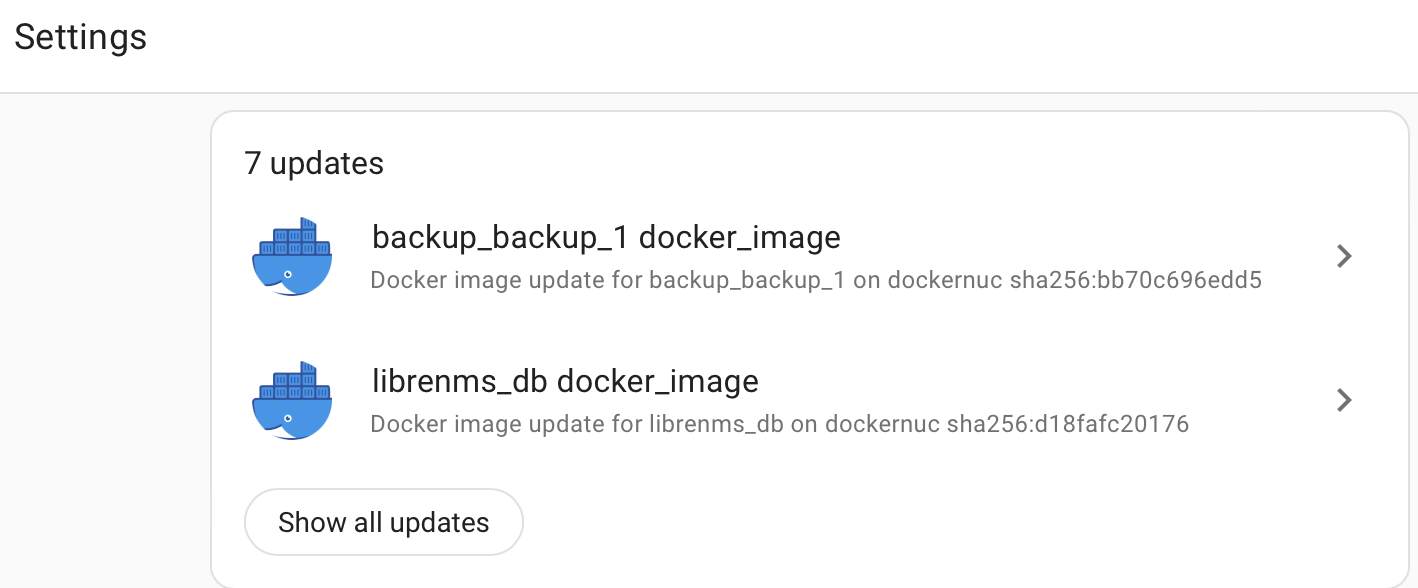
Any updates that have support for automated install will automatically show in the Home Assistant settings page if the MQTT Integration is installed and automatic discovery is not disabled.
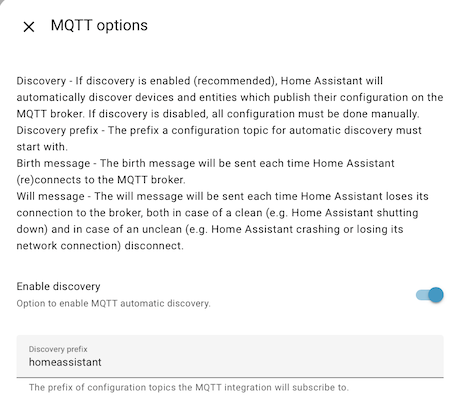
The homeassistant default topic prefix matches the default Updates2MQTT config, if its changed in HomeAssistant, then the Updates2MQTT config must be changed to match.
Device Creation
A Home Assistant device will be created for each Updates2MQTT agent on each server, and Home Assistant will then group all the relevant entities together on this device page. Use device_creation: false in the homeassistant config block if you want to switch off this behaviour, and area if you want to provide a suggested_area for the device.
MQTT Topics
There are 44 separate types of MQTT topic used for HomeAssisstant integration:
- Config to support auto discovery.
- A topic is created per component, with a name like
homeassistant/update/dockernuc_docker_jellyfin/update/config. - This can be disabled in the config file, and the
homeassistanttopic prefix can also be configured. - All the configs for a given server will share the same Device, which can also be given a suggested Area
- A topic is created per component, with a name like
- State to report the current version and the latest version available
- One topic per component, like
updates2mqtt/dockernuc/docker/jellyfin/state - This has a very limited schema
- One topic per component, like
- Command to support triggering an update.
- These will be created on the fly by HomeAssistant when an update is requested
- Updates2MQTT subscribes to pick up the changes, so you won’t typically see these if browsing MQTT topics.
- Only one is needed per Updates2MQTT agent, with a name like
updates2mqtt/dockernuc/docker
- JSON Attributes sources extra attributes from the main
updates2mqttdiscovery topic- Switch this behaviour off using
extra_attributes: falseflag in Updates2MQTT HomeAssistant config
- Switch this behaviour off using
If the package supports automated update, then Skip and Install buttons will appear on the Home Assistant interface, and the package can be remotely fetched and the component restarted.
If it doesn’t support automated update, the command_topic won’t be published with the configuration message, unless force_command_topic is set to true in the homeassistant configuration section, this will force the Home Assistant app to show the update, but with a do-nothing Update button.
Verifying it Works
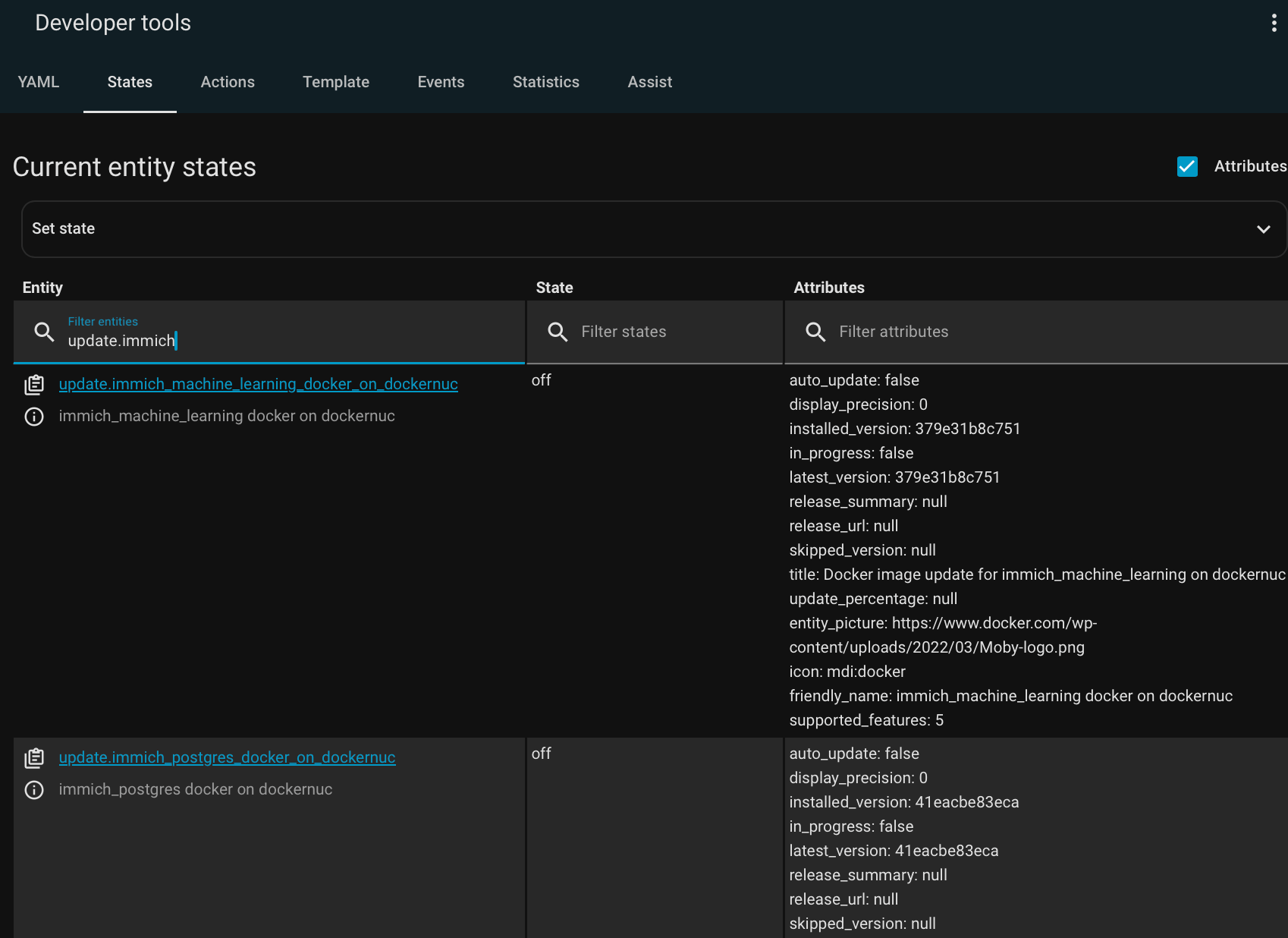
Rather than wait for a container to need an update, you can check right away that Home Assistant has recognized the containers as MQTT Update targets.
From the Entities View, or the Developer Tools, filter the entities by update. If there are lots of other updates (HassOS apps, Zigbee device firmware etc), then pick one of the container names you know.
Custom config
None of this is necessary, all optional for tuning how it works with Home Assistant.
homeassistant:
  discovery:
    prefix: homeassistant
    enabled: true # if false then only plain MQTT publication made
  state_topic_suffix: state
  area: Server Room # suggested area for dynamically created device
  device_creation: true # create a device per server and associate all the `update` entities with that device
  force_command_topic: false # Publish a command topic even if the component can't be updated (can help with Home Assistant presentation)
  extra_attributes: true # switch off all the extra attributes beyond the strict state schema
More Home Assistant information
- MQTT Integration
- Includes setting up a MQTT broker, MQTT Discovery, and trouble-shooting
- MQTT Update
- Update Integration